
Flawless presentations: a technical checklist for a successful B2B-event
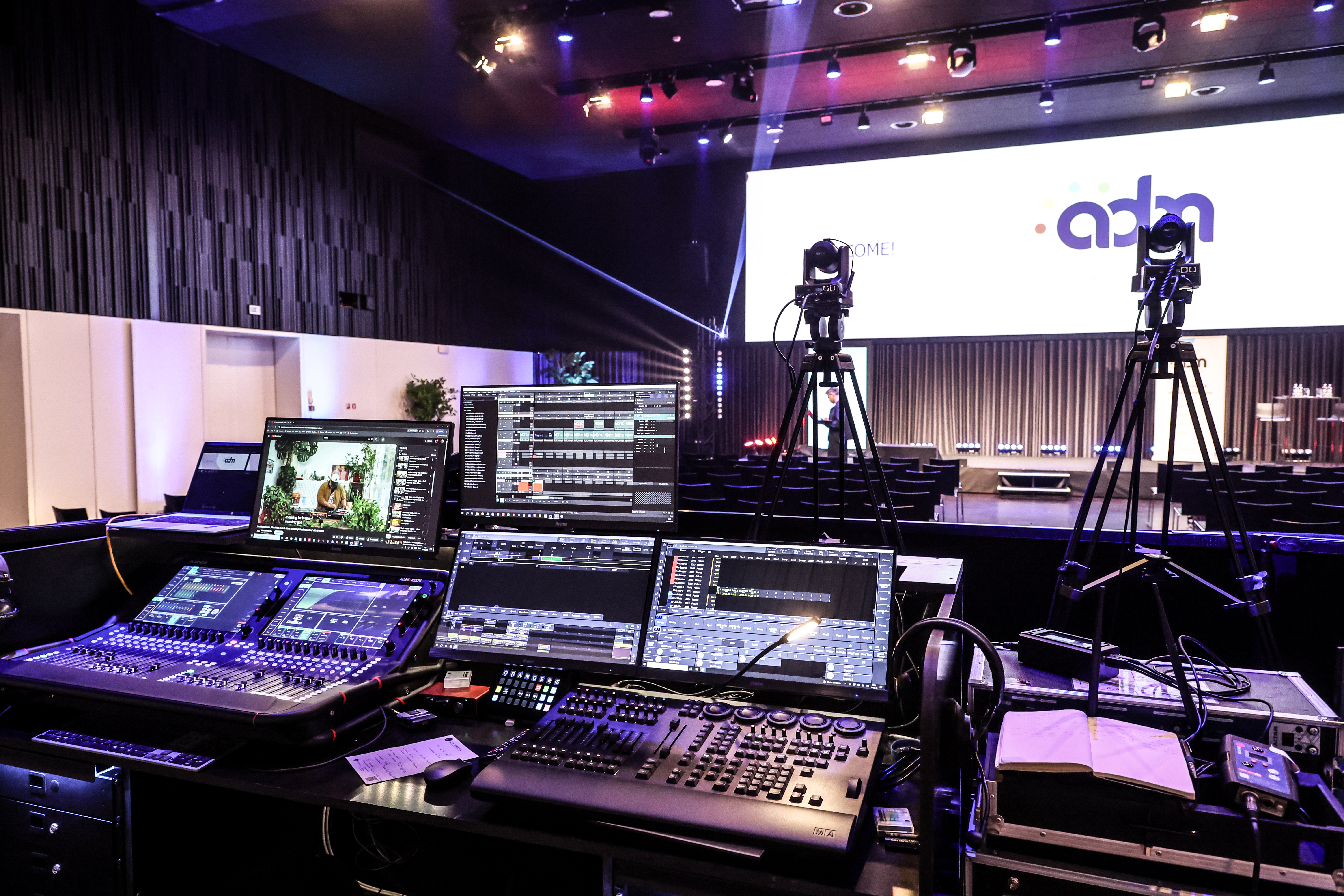
A glitchy presentation instantly undermines the credibility of your B2B event. Whether your speaker is on stage in the venue or joining digitally, a disruptive echo breaks concentration in a fraction of a second. At your next corporate event, the technical setup simply has to be flawless. After all, you don’t invest in top-class speakers only for your message to be lost amid unprofessional technical glitches.
1. Build a rock-solid technical runbook
A schedule with start and break times is perfect for your guests. Your technical team, however, needs more than that. They set the pace of the show. Supplement that basic schedule with a detailed technical script. In it, set out down to the minute who takes to the stage, whether there are live demos, and which screen displays which content. Bring together all the cues for videos, lighting and microphones in one clear, organised place. That way, the director never has to guess what the next step is.
Once that script is ready, we shift our attention to the physical space.
2. Optimize your room layout for maximum visibility
The seating arrangement dictates the focus of every attendee. Can the person in the back row actually read the charts properly? What happens if the speaker unwittingly steps out of the spotlight? Always test the sightlines in advance from every corner of the room. Nobody likes staring at a solid pillar for an hour. Are you looking for a venue without obstructive barriers? Discover BluePoint Antwerp’s 25 flexibly configurable rooms, where the audiovisual infrastructure is seamlessly integrated into the architecture.
From the big picture in the room, we’ll zoom in on the most important square metres.
3. Give Your Speaker Room to Shine
A speaker who feels comfortable immediately exudes authority. Always provide a return monitor on the floor. That way, the presenter never has to strain to look over their shoulder at the big screen. Tidy away all loose cables, have a reliable clicker ready and provide a clearly legible timer. Once the technical safety net is in place, the story is given full scope to flourish.
Yet such a speaker is rarely left to their own devices.
4. Put Your Moderator in the Driver’s Seat
An attentive moderator acts as the living link between the content on stage and the technical desk at the back. Agree in advance, in no uncertain terms, who will give the cues for videos to start or for challenging Q&A sessions. Always provide your moderator with their own separate microphone that is never passed around the room. Assign them a clear position on or just beside the stage. This ensures the technicians always have a fixed point of reference in their field of vision.
This directing role becomes even more crucial during dynamic group discussions.
5. Balance the audio during panel discussions
A jumble of inaudible, overlapping voices immediately breaks the audience’s concentration. Streamlining the audio during a panel discussion is a skill in its own right.
Checklist for panel technology: from headset to handheld
- Choose the right mic: Give each panellist their own lapel microphone or headset for consistent, interference-free audio.
- Handheld as a backup: Always keep one wireless handheld microphone ready for the moderator in case of unexpected audience contributions.
- Equal levels: Test all speakers’ volumes simultaneously so that soft-spoken and loud voices blend perfectly in the mix.
- Visibility: Arrange the chairs in a slight arc so that guests can look at one another easily.
Sound keeps your audience engaged, but lighting sets the deeper emotional tone in the room.
“Everyone can hear me just fine”
According to the World Health Organisation, nearly 20 per cent of the world’s population lives with some form of hearing loss. Clear, intelligible sound is therefore also a matter of accessibility.
Use a microphone whenever the room and the number of participants require it, and don’t just check the volume. The positioning of speakers, the acoustics, background noise and how clearly the message can be heard at the back of the room also determine whether your message really gets through to everyone.
6. Use lighting and sound to set the mood
Play deliberately with lighting levels to guide the emotion in the room. Dim the lights slightly when a video is playing. The focus then automatically shifts to the screen, just like in a cinema. Let the warm light gently brighten as the speaker takes the floor again. During a key moment of applause or an award ceremony, a brief change in lighting instantly gives those present a tangible burst of energy.
What applies to those present on site applies just as much to remote viewers.
7. Ensure seamless integration of online contributions
A solitary laptop with a glitchy webcam is simply not enough for a hybrid event. Online participants deserve exactly the same professional experience as the in-person audience. Check the resolution, sound and screen layout down to the last detail. Always have a plan B in place, such as a locally stored video or a dial-in option for emergencies. Rely on advanced event tech and live-streaming capabilities to offer your remote guests an uncompromising experience too.
Whether online or offline, smooth transitions set the pace.
8. Create rhythm with smooth transitions
Dead moments between two speakers sap all the energy from the room. Fill those awkward gaps cleverly. Use a short musical jingle, a visual bumper or a dynamic name slide in your corporate style during the stage changeover. This tight rhythm gives the programme a high-quality TV feel. It makes it clear to your audience that absolutely every second in the hall is meticulously choreographed.
But how do you engage that audience without technical glitches?
9. Make audience interaction accessible
Audience interaction only works if the technology is invisible and runs smoothly. Think in advance about the right tools for questions and polls. Provide wireless microphones in the venue and integrate clear QR codes on the screens. This way, the online audience can vote just as easily. Make clear agreements between the moderator and the technical team regarding the exact timing of these interactive moments.
All these details come together during the ultimate stress test.
10. Schedule a full dress rehearsal
A quick soundcheck is by no means a dress rehearsal. In a proper test, you run through the entire programme exactly as it will happen live in front of an audience. You test the speakers’ physical timing, the timing of microphone changes and the start of the intro videos. This guarantees you’ll iron out every last glitch from your presentation.
From Seamless Technology to the Wow Factor
Ultimately, technology is the invisible partner of every successful presentation. By leaving nothing to chance and meticulously preparing every technical transition, you create exactly the peace of mind your speakers need to truly shine without distraction.
Would you like to take it a step further? BluePoint Antwerp can also advise you on technical add-ons such as AI translation tools, hologram boxes, emotion-tracking cameras or other innovative solutions that enhance your participants’ experience.
Want to find out more? Drop by for a site visit and discover how our venues, technical solutions and support team can take your corporate event to the next level.
Blijf op de hoogte