
AV Briefing for Events: What Information Does Your AV Technician Need?
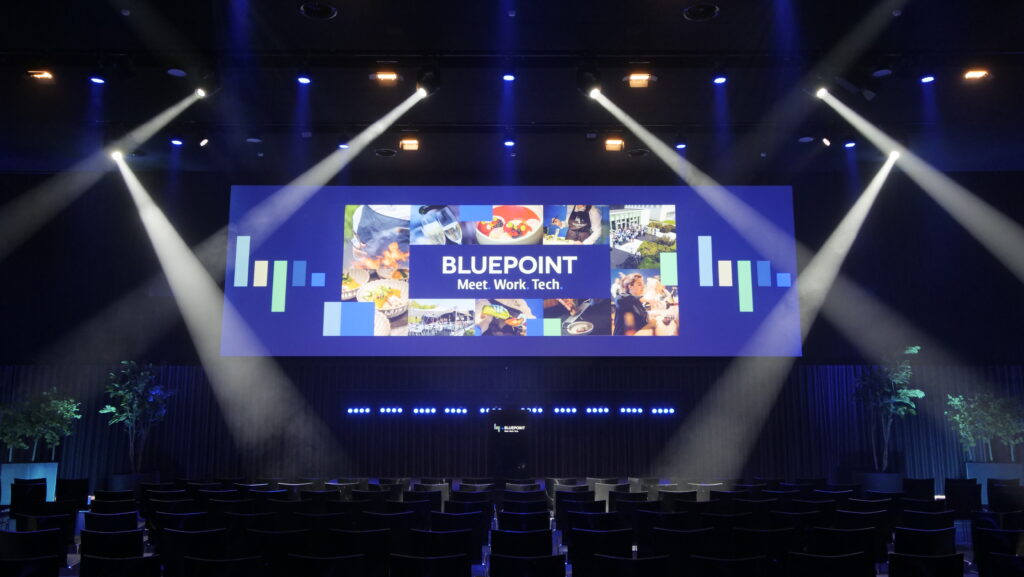
A presentation that won’t display, a video without sound or a microphone that suddenly stops working? Technical problems at events often start with incomplete preparation. A clear AV briefing helps you avoid surprises, delays and unnecessary costs. What information does your AV technician need in advance? Use this practical checklist to prepare your visuals, sound, lighting and streaming professionally.
Why a Good AV Briefing Makes All the Difference
Audio-visual technology involves far more than a screen and a few microphones. Visuals, sound, lighting, internet and timing all need to work together.
An additional speaker, for example, can affect the microphone plan, stage lighting and camera direction. An unexpected video may require a different connection or audio setting.
The sooner the technician receives this information, the better they can estimate equipment, staffing and setup time.
In its guidance for producing professional events, Microsoft also emphasises the importance of clearly assigned responsibilities, technical rehearsals and tested transitions between programme segments.
Make the AV briefing a standard part of your event run sheet, rather than a last-minute technical formality.
1. Programme and Room Layout: What Happens, and When?
Start with a clear programme showing start times, breaks and changeovers.
For each segment, specify who will be on stage, which audio-visual support is required and how much time is available for the transition.
A keynote featuring one speaker requires different preparation from a five-person panel discussion or a product demonstration.
Share a room plan showing the stage position, seating arrangement and any demonstration areas.
Don’t forget these questions:
- Will presentations, videos and panel discussions follow each other in quick succession?
- Will the audience need to change seating arrangements during the event?
- Are there moments when the room needs to be darkened or, conversely, brightly lit?
With this information, the AV team can plan the placement of screens, loudspeakers, lighting and cables.
2. Presentations and Video: Avoid Unpleasant Surprises
A PowerPoint that works perfectly on your own computer may look different on another device. Missing fonts, animations and incompatible connections are common stumbling blocks.
Request presentations in advance, with clear file names and version numbers.
For videos, check the resolution, aspect ratio, subtitles and audio playback.
Will several speakers use their own laptops? Let the team know which devices and connectors they will bring so the appropriate adapters and switching options can be arranged.
Practical tip: whenever possible, use one central presentation laptop and a verified backup. Agree who will advance the slides and when the deadline for changes falls.
Any presentation delivered just minutes before the event begins should receive an extra check.
Organising a conference with multiple speakers? Explore the options for professional presentations at BluePoint Antwerp and discuss your technical requirements in good time.
3. Microphones and Sound: Every Voice Must Be Heard
How many people will speak at the same time? Will they remain behind a lectern or move around the stage?
These details help determine whether handheld, headset, lapel or table microphones are the right choice.
For a panel discussion, for example, the team needs to know how many participants might speak simultaneously. Interactive sessions may require extra wireless microphones for questions from the audience.
Remember videos, music, jingles and other audio sources too.
At hybrid events, the audio mix needs particular attention. Online participants must be able to hear both the speakers and questions from the room clearly, without distracting echoes.
Test the sound in the room and the audio feed for online participants separately. Microsoft also recommends this approach when preparing hybrid events.
4. Lighting: Practical and Atmospheric
Good lighting does more than make people visible. It supports the atmosphere, the programme and your organisation’s identity.
A business keynote calls for bright, even lighting. A product launch, on the other hand, may benefit from a more dynamic lighting sequence to build anticipation.
Explain in advance which moments call for a particular atmosphere and whether you want to use your brand colours.
Will photographs or video recordings be made? The lighting must also work well on camera.
Send logos, colour codes and any visual references to the technical team in good time.
Important: discuss transitions between lighting scenes beforehand. Suddenly darkening the entire room while someone is still speaking can seriously disrupt the audience experience.
5. Streaming and Recording: Remember Your Online Audience
At a hybrid event, two audiences follow the same programme, but their technical experiences are different.
Decide in advance which streaming platform will be used, who will have access and whether sessions will be recorded.
Specify how many cameras are needed, how presentations will appear on screen and who will moderate questions from online participants.
According to Zoom’s guidance for hosting virtual and hybrid events, a rehearsal should reproduce the actual event conditions as closely as possible.
Test not only the connection, but also camera shots, the audio mix, screen sharing and interaction with remote participants.
Don’t overlook accessibility. The W3C guidelines on captions explain their importance for people who find spoken information difficult to follow. Discuss captioning requirements in advance.
Agree on consent, privacy, how long recordings will be kept and how video files will be delivered.
Preparing a hybrid event? Explore the hybrid event options at BluePoint Antwerp and find out which technical support suits your programme.
6. Internet and Network: More Than a Wi-Fi Password
Not every internet application places the same demands on the connection.
A speaker showing a website has different needs from a livestream, interactive voting tool or software demonstration running inside a secure corporate environment.
Provide an overview of all applications requiring network access in advance.
Flag any VPN connections, firewall restrictions, fixed IP addresses or large downloads.
For critical applications, a wired or dedicated connection may be appropriate.
Always have a backup plan. A locally saved presentation or pre-recorded demonstration can keep the programme moving if a live connection unexpectedly fails.
7. Technical Rehearsal and Cue Sheet: Everything at the Right Moment
A technical rehearsal involves more than briefly checking whether the microphones work.
Bring the key speakers, moderator and technical production team together to run through the most important moments.
Check stage movements, presentation changes, video, audio, lighting and any online connections.
Then prepare a cue sheet: a chronological list of every technical action.
For example: display title slide, open speaker two’s microphone, start video or switch to panel lighting.
Appoint one organiser and one technical contact to collect and approve any changes.
This prevents conflicting instructions during the final preparations.
AV Briefing Checklist: What Should You Send?
Use this compact checklist before submitting your final technical briefing:
- Date, venue, room and setup and breakdown times
- Final programme, including timing and breaks
- Room plan, stage layout and seating arrangement
- Number of speakers and preferred microphone types
- Presentations, videos, music and logos
- Lighting requirements and special ambience settings
- Streaming, recording and camera requirements
- Internet applications and network restrictions
- Rehearsal time, cue sheet and contact details
- Deadlines for files and programme changes
When Should You Send the AV Briefing?
Don’t wait until every detail is final. Send a first version several weeks in advance and clearly identify any missing information.
Set firm deadlines for presentations, videos and technical changes.
For more complex productions, arrange a separate technical meeting or site visit.
Shortly before the event, hold a final briefing using one verified set of files and an up-to-date cue sheet.
From Technical Preparation to a Seamless Event
A good AV briefing gives everyone clarity: the organiser knows what has been arranged, the technician can prepare effectively and speakers can begin with confidence.
Audio-visual technology then becomes a seamless part of the event experience, rather than a potential source of stress.
Want to prepare your next event with confidence? Discover BluePoint Antwerp’s audio-visual facilities and professional support, and discuss your programme with the event team well in advance.